From issue to pull request: running the coding agent
The implementation agent turns a triaged issue into a pull request on its own. What the setup has to get right, how to keep a weaker model on the rails, and where it still struggles on big repositories and long issues.
The coding agent — the implementation agent in the workflow list — is the part of AI-Git-Bot that ends with a pull request instead of a comment. Assign a bot to an issue and it clones the repository, works out which files are involved, edits them, runs your build, and opens the PR for review. It never merges — the last step stays human.
What follows is the practical side of that workflow: the four objects that have to exist before the first run, the settings that decide whether a small model produces something usable, how to plug in your own validation command, and what to do when the repository or the issue is bigger than one run. The reference documentation lives in the repository: Coding Agent, Issue Agents, Tool Calling.
Two kinds of rounds
A run is a loop, and the loop has two flavours of round. Read-only rounds
(rg, tree, ctags-signatures, cat) fetch context without spending an edit
attempt. Rounds that write or validate do spend one. The two budgets are
separate, and reads stop being free once the read budget is used up: further
reads are charged to the write budget instead. That is why a run can stop for
lack of rounds having never reached the change — it read too much.
Setting it up
Four objects in the admin UI, in this order:
- AI Integration — provider, model, key, and Enable native tool calling (on for frontier models). For Anthropic, leave prompt caching on; an agentic loop re-sends the whole prefix every round and cache reads are roughly a tenth of the input price.
- Git Integration — a token with repository write access (branches, pushes, pull requests) and issue write access (progress comments).
- System prompts (under System settings) — the prompt sets a bot can use. Clone the default set for your bot instead of editing the default, and edit its Issue-Agent System-Prompt; that is what the coding agent runs with.
- Bot — bot type Coding bot, Issue-Assigned Workflow Configuration: Issue: Coding Agent, plus the prompt set and a Tool Configuration.
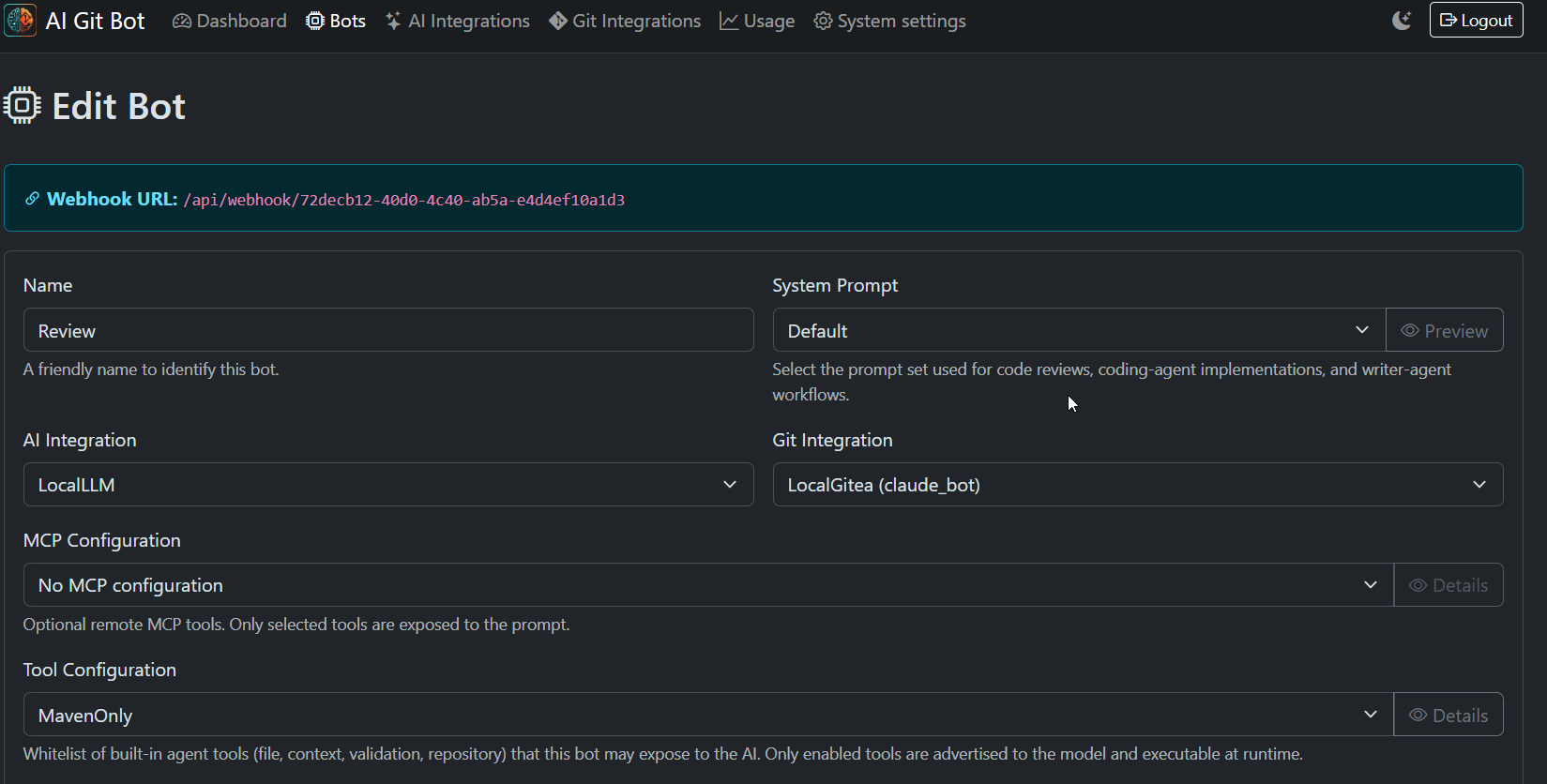
Then point the repository webhook at the URL shown on the bot page and enable the Issues event, and make sure whoever triggers the bot can be trusted with your AI budget — the bot form’s user whitelist is the cheapest guard there is.
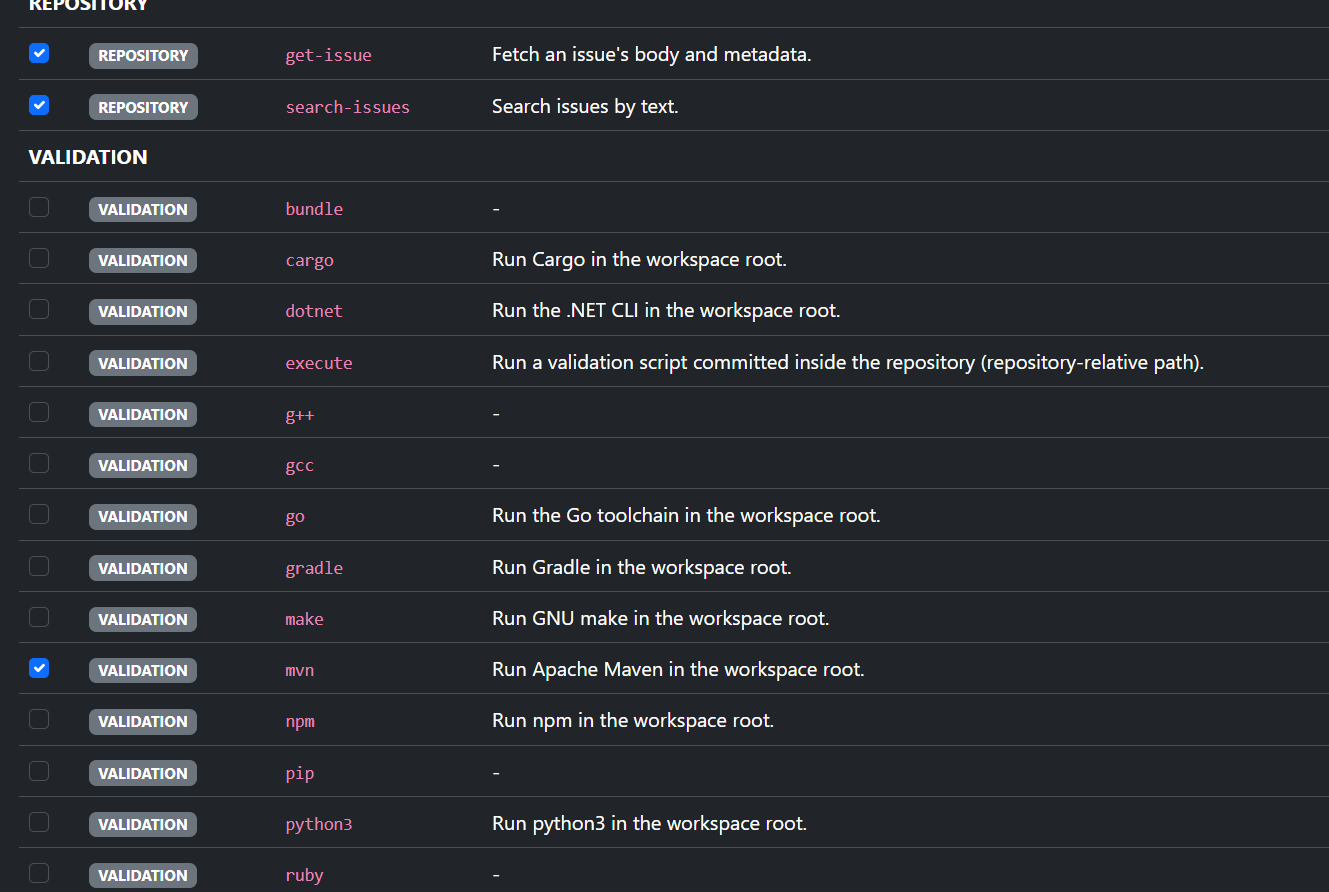
The one setting people get wrong is the Tool Configuration. It is not a
permission list in the narrow sense: it is the entire tool surface the model
sees, and it is re-sent on every round. Leave out dotnet or mvn and the
agent is told in its own prompt that validation is mandatory, cannot comply, and
loops until the retry budget is gone. Tick the toolchains the image actually
contains, and nothing else.
Branches follow {prefix}issue-{number} — ai-agent/issue-42 with the default
prefix. AGENT_ALLOWED_REPOS limits the whole feature to a list of repositories,
which is worth setting before you let anyone assign the bot.
What a run looks like on the issue
The bot confirms that it picked the issue up, then posts a short plan for each round, the validation output when something fails, and finally the pull request. For a run on a repository you have not tried yet, watch the timeline rather than the result: the rounds tell you whether the model understood the codebase or is guessing at paths.
One reading tip: the plan comment is posted before the tool call runs. It says what the model is about to do, not what happened next. The evidence is the comment that follows — or the diff.
If a session gets stuck, comment try again, please retry or redo on the
issue. The agent sees the previous conversation and usually corrects itself.
When the model is small
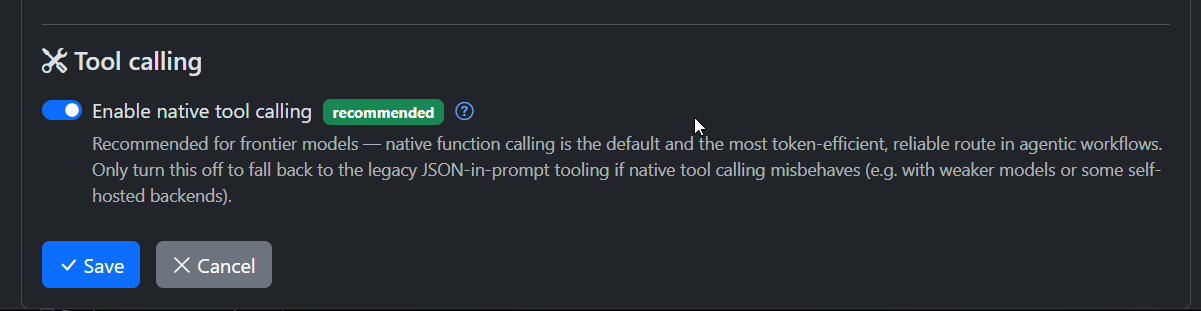
Frontier models call tools reliably; small and local ones often do not. The first lever is the transport, not the prompt: turn Enable native tool calling off for that integration. The bot then describes the tools in the prompt and parses a JSON answer instead of using the provider’s tool API. It costs more tokens, and it is the path that has seen the most model/provider combinations.
What does not help is tightening the budgets. The coding agent is not told how
many rounds it has left, so it cannot plan around a cap — lowering
AGENT_BUDGET_MAX_ROUNDS or AGENT_BUDGET_MAX_CONTENT_ROUNDS does not make a
small model work more efficiently, it only stops the run sooner, and the issue
ends up with a failure comment instead of a branch. AGENT_BUDGET_MAX_TOKENS_PER_CALL
is the output budget of a single call: halve it and a long patch plan is cut in
half, which is a failed run, not a cheaper one. Leave all three at their defaults;
if runs keep ending for lack of rounds, raise them.
What helps is giving the model less to hold at once:
- Fewer tools. Every tool descriptor is re-sent on every round, and every one of them is a choice the model can get wrong. The tool configuration from the setup is the cheapest lever there is.
- A smaller tree on the first run.
AGENT_CONTEXT_MAX_TREE_FILESputs up to 500 paths into the opening prompt; 120 is plenty and leaves less to sift. - A starting point. One or two file paths in the issue body are worth several exploration rounds, and they cost a sentence.
- A smaller change. One issue, one change, a handful of files. A small model asked for a refactor will produce something plausible and wrong, and the review will cost more than writing it yourself.
Two settings belong to this list as well. Set the integration’s context window to the model’s real window; it is what decides when the runtime starts dropping history mid-run, and a wrong value either fires too late or too early.
For thinking-style local models served through an OpenAI-compatible API,
OPENAI_CHAT_TEMPLATE_KWARGS (for example {"enable_thinking": false}) is often
the difference between a tool call and a paragraph of reasoning about one.
Finally, the prompt. The coding agent runs on the Issue-Agent System-Prompt of the prompt set selected in the bot form (System settings → System prompts). A small model follows the rule it read last far better than the tenth one, so shorten it there: name the validator it should run, say that a change is not done until it has been verified, and drop the rest.
Custom validation with execute
Validation is what turns “the agent says it changed something” into “the change
compiles”, and it needs a command. Repositories with a conventional build have
one. Documentation sites, infrastructure repositories and anything driven by a
script do not — for those there is the execute tool.
Enable it in the bot’s tool configuration like any other validator, commit the script with its executable bit, and the agent calls it by repository-relative path:
execute scripts/validate.sh
#!/usr/bin/env bash
set -euo pipefail

dotnet build projects/hub/Hub.sln -c Release --nologo
dotnet test projects/hub/tests/web-ui/Hub.WebUi.Tests.csproj \
  --no-build --nologo
git update-index --chmod=+x scripts/validate.sh
The contract is deliberately narrow:
- Exit code
0means validation passed. Anything else fails the round, and the captured stdout/stderr goes back to the model and onto the issue — exactly like a failingmvn test. - The script runs directly, never through a shell, with the workspace as its working directory. Arguments after the path are passed through verbatim.
- It must match the committed version.
executerefuses a script the run has modified, staged or added, so the agent cannot make validation pass by editing the validator. - It is bounded by
AGENT_VALIDATION_TOOL_TIMEOUT_SECONDS(300 by default).
That last point shapes the script: keep it under the timeout, make it print the failing command’s output rather than a summary, and avoid network calls. A validator that takes four minutes on a good day will time out on a bad one, and a timeout looks to the model like a broken change.
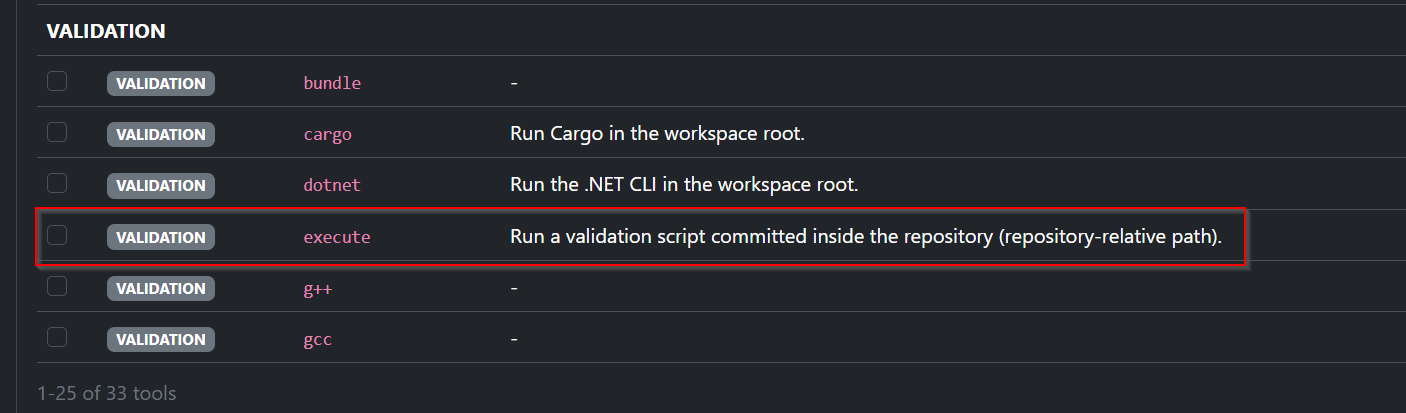
execute is additive — it never replaces mvn or npm. Repositories with a
real build command should keep using it, and use execute only for the extra
checks the build does not cover.
Pitfalls worth knowing
- Validation off means a green comment and no build. With
AGENT_VALIDATION_ENABLED=falsethe run finishes as soon as the workspace has a diff, and the success comment says nothing about whether the code compiles. - Tool output is capped. A single tool result is truncated at 10,000
characters.
catwith line ranges is how the agent reads a large file, which also means it can patch a line range it has only partly seen. - A search that finds nothing is a failed tool.
rgexits non-zero when there is no match, and in a round that also writes, that counts against the attempt budget. It is not a bug you can configure away; expect the occasional “asking the model to correct” after a legitimate empty search. - Follow-ups remember the conversation, not the issue. A follow-up prompt carries the new comment and the discussion, not the issue description, and the session history is bounded. After a long thread the agent may genuinely no longer know what the original issue asked for. Start a new issue for a new topic instead of reusing the PR.
- The comment thread is filled oldest-first. The per-comment and total budgets stop at the character limit, and the oldest comments get there first. Put the specification in the issue body; the last comment is the worst place for it.
- Hitting a budget looks like a failed implementation. A run that runs out of rounds reports “I was unable to produce a valid implementation” on the first run, or “validation failed and I couldn’t fix the issues” on a follow-up — neither is necessarily true; it may simply have stopped. Read the last rounds of the timeline before you go looking at the build.
- One branch per issue. Follow-ups push to the same branch as the PR. Two features in one issue means two features in one diff.
- Polyglot repositories need the validator named. The model picks the build command; in a repository with a JVM service and an npm frontend it will sometimes pick the wrong one. Say which one counts in the prompt.
- The agent can edit dependency files but cannot install from a registry you have not made reachable. A change that needs a new package is a change your image has to support.
Big repository, big issue
A repository is large when the clone is slow and the tree is unhelpful; an issue is large when it describes more than one change. Both are manageable, but not with the same knobs.
For the repository:
- Raise
GITEABOT_WORKSPACES_CLONE_TIMEOUT_SECONDS(300 by default) — the clone is shallow, but a monorepo tip still takes time — and putGITEABOT_WORKSPACES_DIRon fast local disk rather than on a network mount. - Keep the exploration tools that do not read whole files:
rg,tree,ctags-signatures,ctags-deps,git-log,git-blame. They are what makes a large tree navigable in ten rounds. - Let
execute-codedo the filtering. A small Python program can call the same tools and print only the matches that matter, so a fifty-file sweep costs one tool result instead of fifty. AGENT_MAX_FILES(20 by default) is a blast-radius limit, not a target. On a monorepo, name the package in the issue so the agent does not have to discover the boundary.- Keep the tool configuration minimal. Every tool descriptor is paid for on every round of every run.
For the issue: split it. A run that has to hold three acceptance criteria and two subsystems will satisfy one of them and claim all three. If the issue is vague, let the writer agent turn it into a specification first; if it is simply large, cut it into issues that can each be reviewed in one sitting. And give the agent a starting point — one or two file paths in the issue body are worth several exploration rounds.
Start small
The honest summary: the coding agent is reliable on focused issues in repositories with a working build command and a validator in the tool configuration, and it is a coin flip anywhere else. Set it up on one repository, assign it a small issue, and read the timeline before you trust the result. The settings above are the ones that decide whether the second run is better than the first.
Feedback is welcome — use the contact form, send an email, or open an issue on GitHub.